▀▀█ ▄▀▄ █▀▄ ▀█▀ █▀▀ █▀▄ █▄ ▄█
▄▀  █▀█ █▀▄  █  █▀▀ █▀▄ █ ▀ █
▀▀▀ ▀ ▀ ▀▀   ▀  ▀▀▀ ▀ ▀ ▀   ▀
Zabbix, in your terminal.
A fast, keyboard-driven TUI for Zabbix. Dashboards, hosts, history graphs and problems with one-key acknowledge. Written in Rust, runs on Linux and macOS, and follows your Omarchy theme.
curl -fsSL https://raw.githubusercontent.com/enderkus/zabterm/main/install.sh | shPrebuilt binary into ~/.local/bin. On Linux it also adds zabterm and its icon to the app launcher.
brew install enderkus/tap/zabtermmacOS (Apple Silicon and Intel) and Linux.
cargo install --git https://github.com/enderkus/zabtermBuilds from source with any recent Rust toolchain.

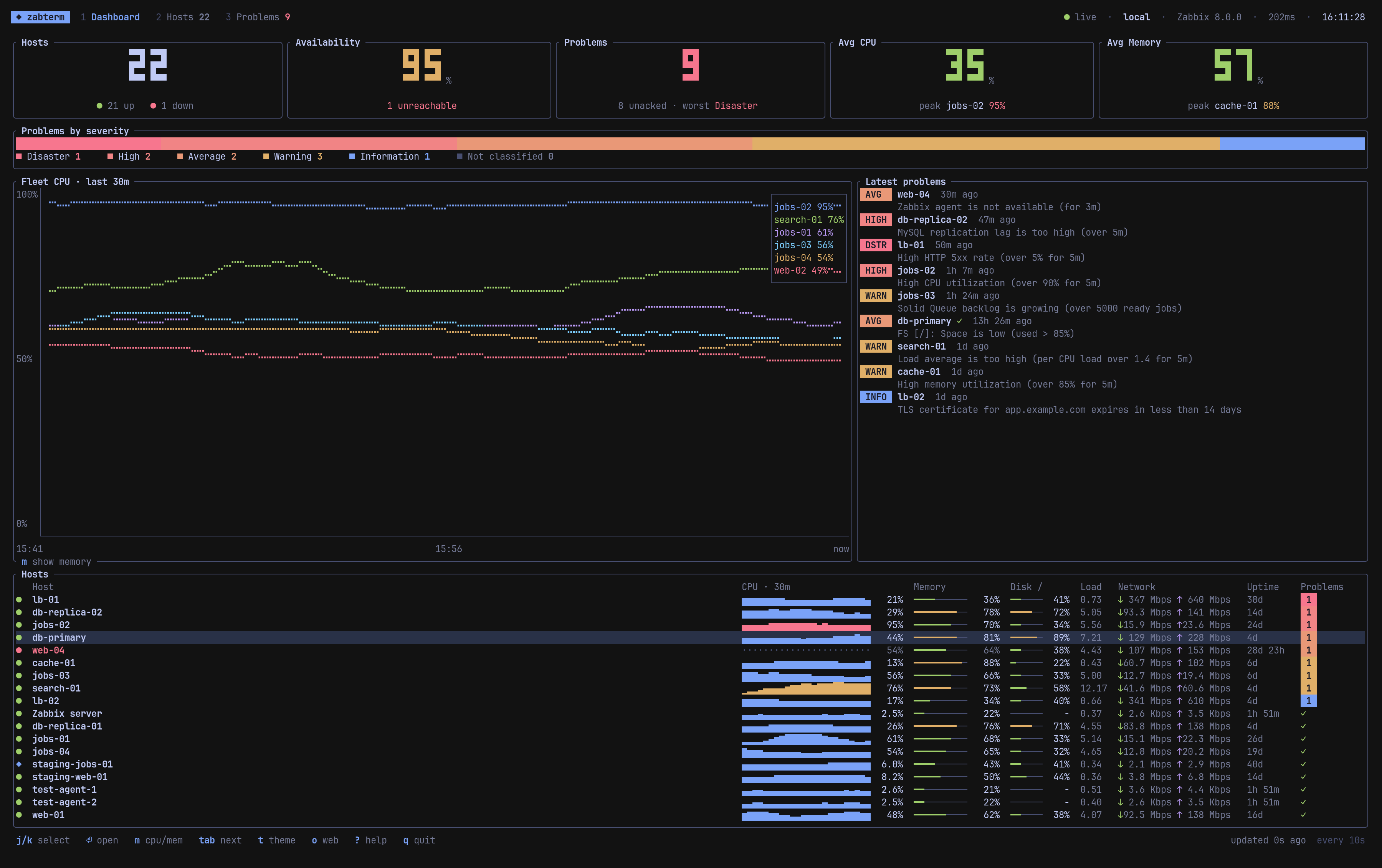
Everything you check in the frontend, without leaving the terminal
zabterm talks to the Zabbix JSON-RPC API, polls in the background and never blocks the UI on the network.
Big-number tiles for hosts, availability, problems, CPU and memory, a severity bar, a 30 minute fleet chart and a live problem feed.
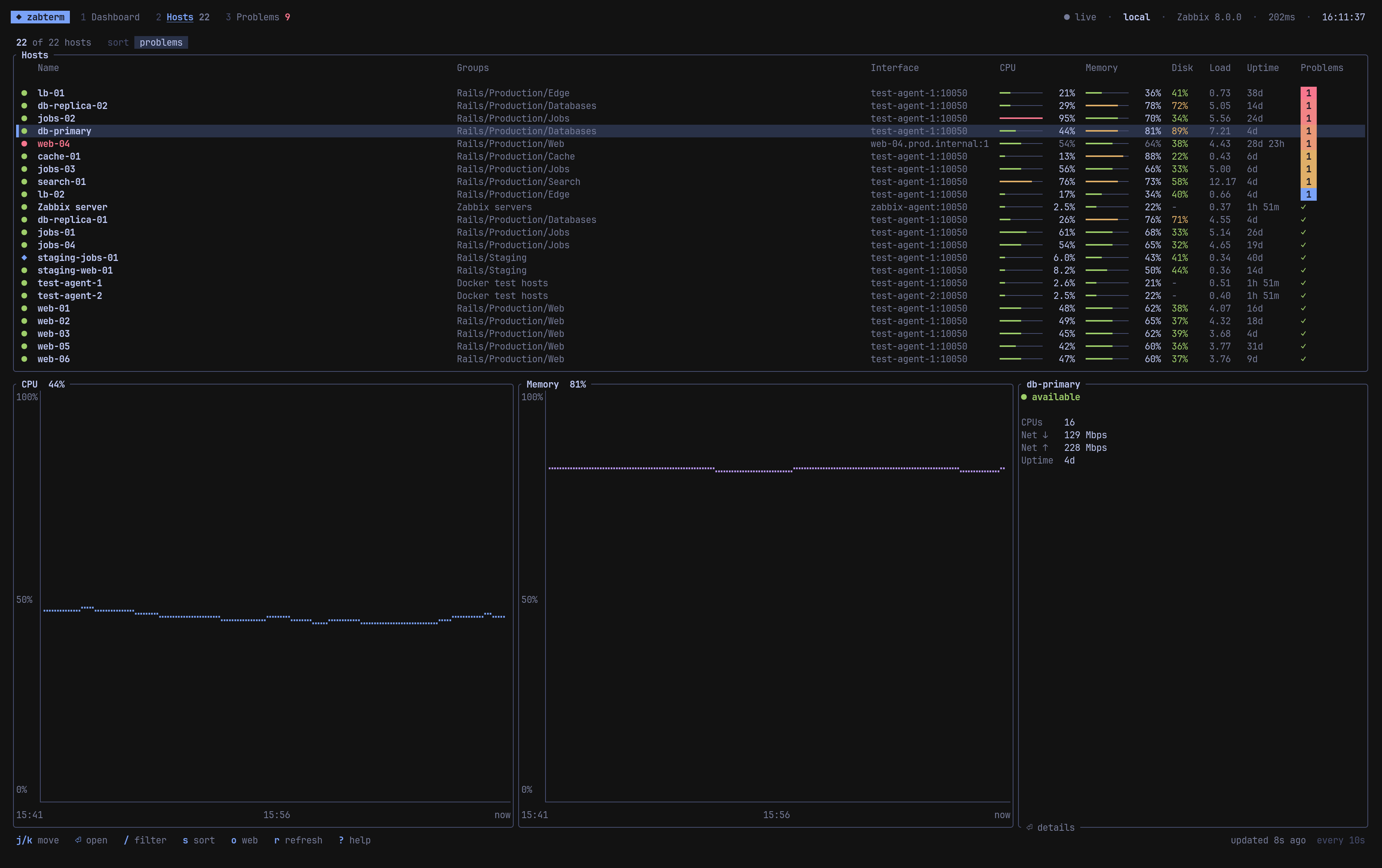
Every host with availability, CPU and memory meters, disk, load, uptime and problem counters. Filter, sort, and preview history as you scroll.
Braille charts for CPU, memory, network and load, from 15 minutes to 7 days, plus filesystems and a searchable latest data tab.
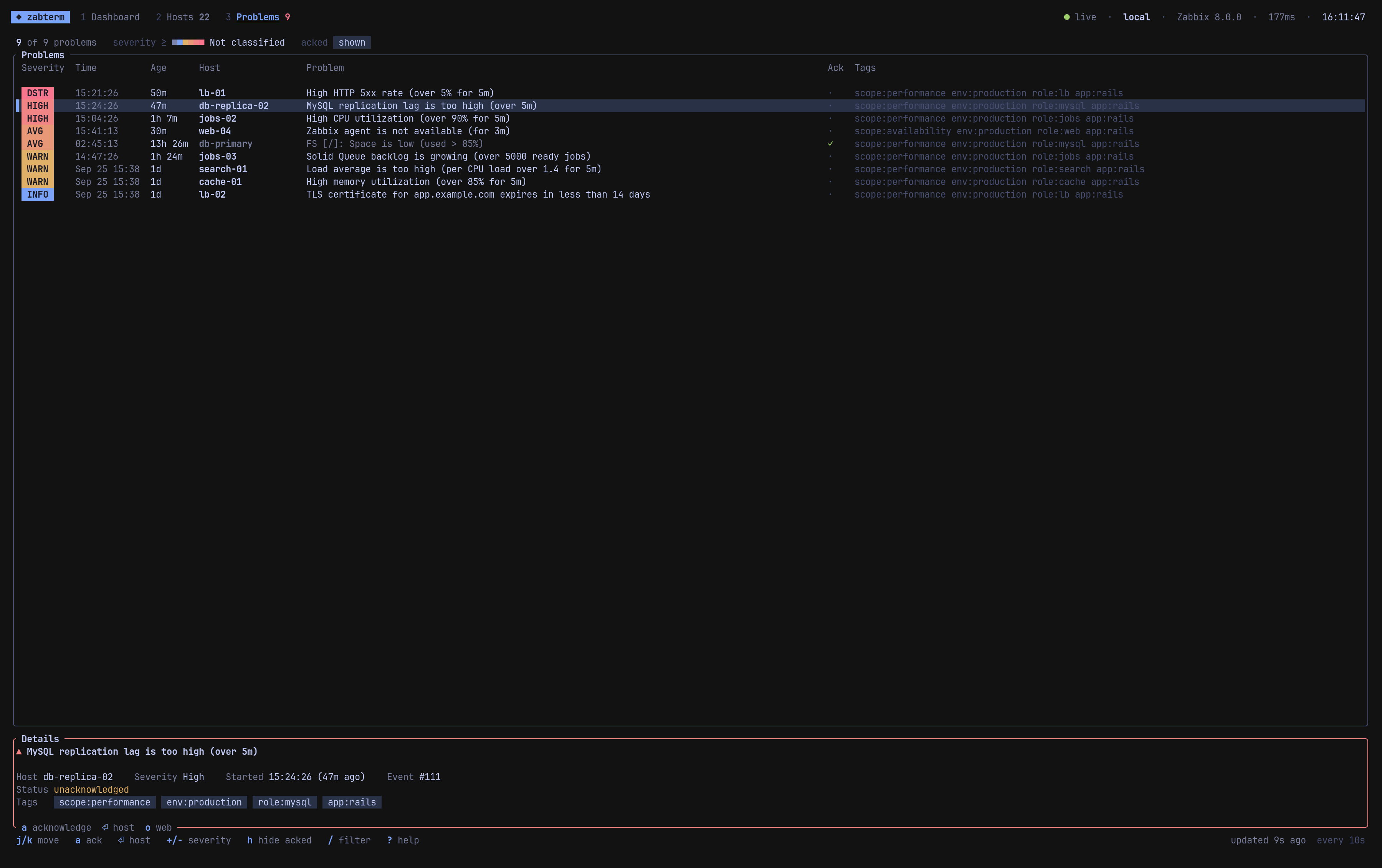
Severity badges, tags, details, a minimum severity filter. Press a to acknowledge with a message and close it if the trigger allows.
New and resolved problems, hosts going down or coming back: as in-app toasts and native desktop notifications on Linux and macOS.
Prod, staging and lab in one config. Tokens from the file, an env var, or any command such as pass or op.
Drill down
From the fleet to a single host to a single problem, all on the keyboard.
| 1 2 3 tab | dashboard, hosts, problems |
| j k g G | move around |
| ⏎ | open a host |
| / | filter anything |
| a | acknowledge a problem |
| [ ] | graph range 15m to 7d |
| t | cycle theme |
| o | open the same page in Zabbix web |
All keys: Views and keys
With theme = "auto" zabterm reads the active Omarchy theme and repaints the moment you switch themes. Eight popular palettes are built in for everyone else.
The installer adds a launcher entry with its own icon, and notifications go through notify-send, so mako shows them like any other app.
One small config file
zabterm init writes it for you at ~/.config/zabterm/config.toml.
default_profile = "prod"
theme = "auto"
refresh_interval = 10

[notifications]
desktop = true
min_severity = "average"

[profiles.prod]
url = "https://zabbix.example.com"
token_cmd = "op read op://ops/zabbix-prod/token"