Introduction
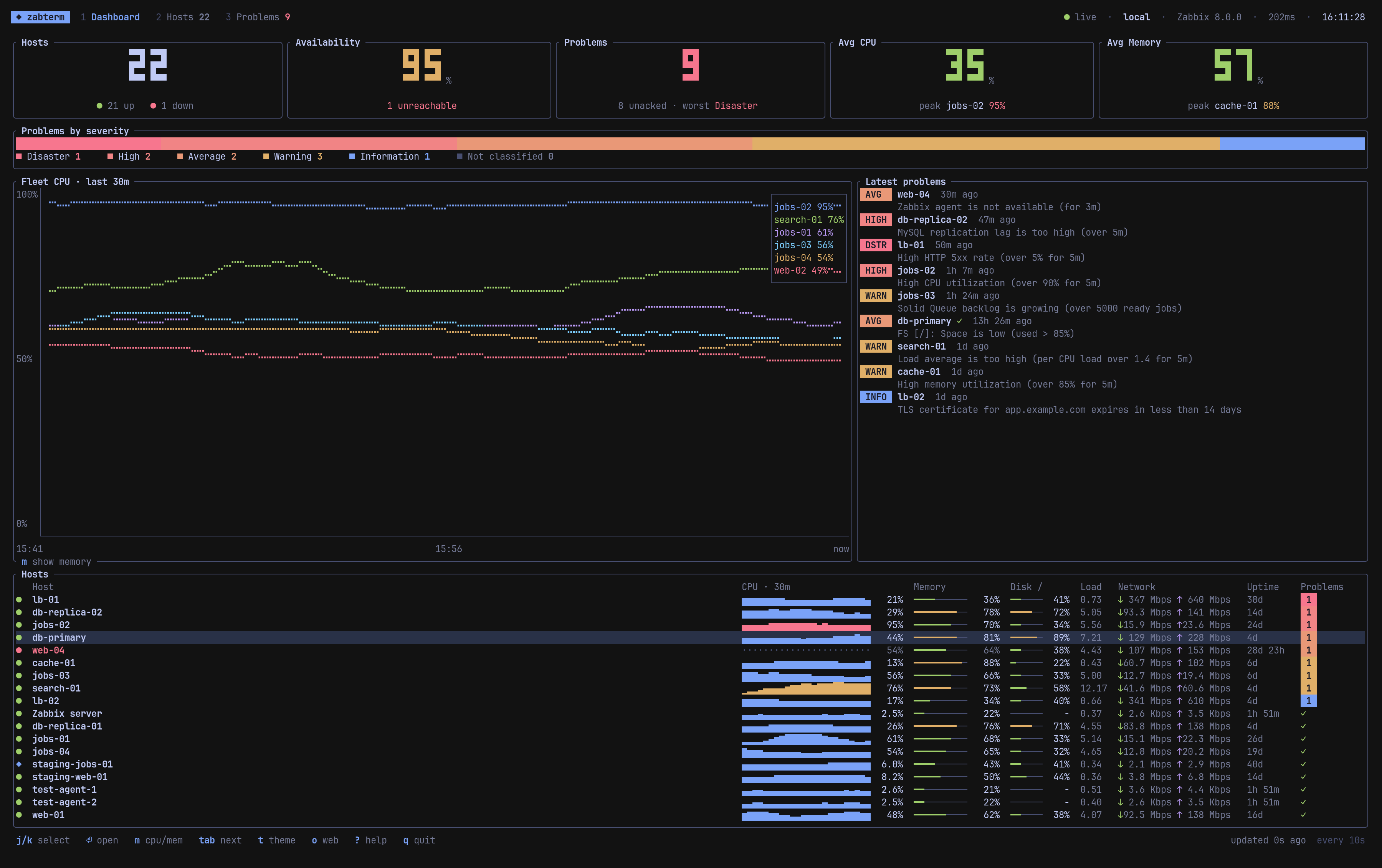
zabterm is a terminal UI for Zabbix. It shows the state of your fleet at a glance and lets you work through problems without opening the web frontend.
What it does
- Dashboard. Host count, availability, active problems, average CPU and memory as big-number tiles, a stacked severity bar, a 30 minute fleet CPU or memory chart, the latest problems and a host table with inline sparklines.
- Hosts. Every host with its availability, groups, interface, CPU and memory meters, disk, load, uptime and per-severity problem counters. Filter and sort, with a live preview of the selected host.
- Host page. History graphs for CPU, memory, network and load over 15 minutes up to 7 days, filesystem usage, the host’s problems and a searchable list of every item with its last value.
- Problems. Everything currently firing, worst first, with a details pane. Acknowledge with a message, and close the problem if its trigger allows manual close.
- Notifications. New and resolved problems, and hosts that become unreachable or come back, as in-app toasts and native desktop notifications.
- Themes. Follows your Omarchy theme live, or pick one of eight built-in palettes.
Requirements
| Zabbix | Developed and tested against the 8.0 API. It uses Bearer token auth and selectHostGroups, so 7.0 and later should work too. |
| Platforms | Linux (x86_64, aarch64) and macOS (Apple Silicon, Intel). |
| Terminal | Any modern terminal. 24-bit color looks best; Apple Terminal automatically falls back to 256 colors. |
| Access | An API token, or a username and password, for a user that can read the hosts you care about. |