Three views and a host page, all driven from the keyboard. Press ? inside zabterm for the same list.
Global keys
| Key | Action |
|---|---|
| 1 2 3 | Dashboard, Hosts, Problems |
| tab shift-tab | Next / previous view |
| r | Refresh now |
| t | Cycle theme |
| o | Open the current page in the Zabbix frontend |
| ? | Help |
| q ctrl-c | Quit |
Lists
| Key | Action |
|---|---|
| j k ↓ ↑ | Move |
| g G home end | Top / bottom |
| ctrl-d ctrl-u pgdn pgup | Page down / up |
| / | Filter. Type, then ⏎ to keep it or esc to clear |
| ⏎ l | Open the selected host |
Dashboard
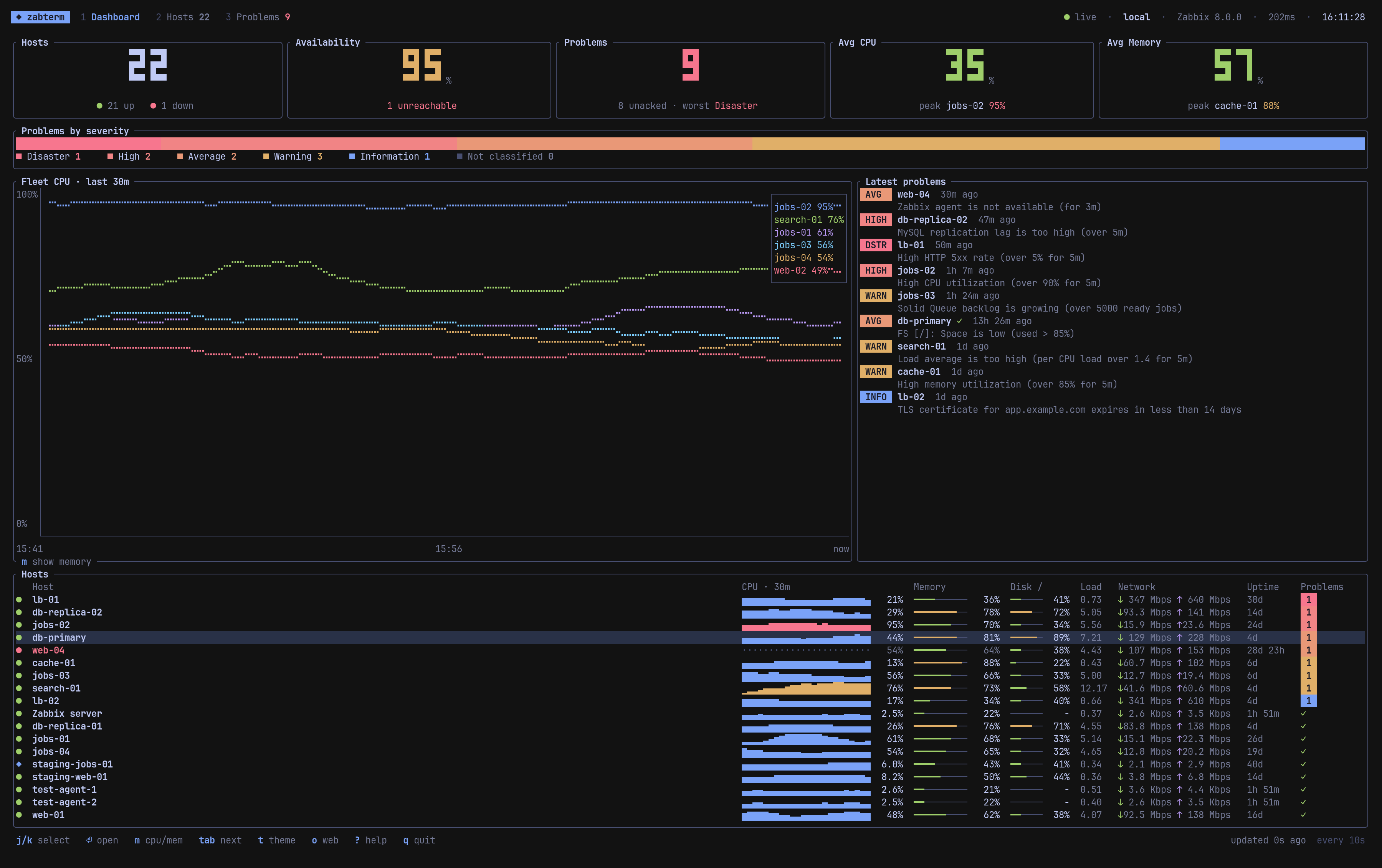
- Tiles. Hosts (up / down), availability of enabled hosts, active problems (unacknowledged count and worst severity), average CPU and memory with the busiest host. Unreachable hosts are left out of the averages because their values are stale.
- Problems by severity. A stacked bar of active, unsuppressed problems.
- Fleet chart. The six busiest hosts over the last 30 minutes. m switches between CPU and memory.
- Latest problems. Newest first, with age and a ✓ when acknowledged.
- Hosts. Same order as the Hosts view. j k select, ⏎ opens the host.
Hosts
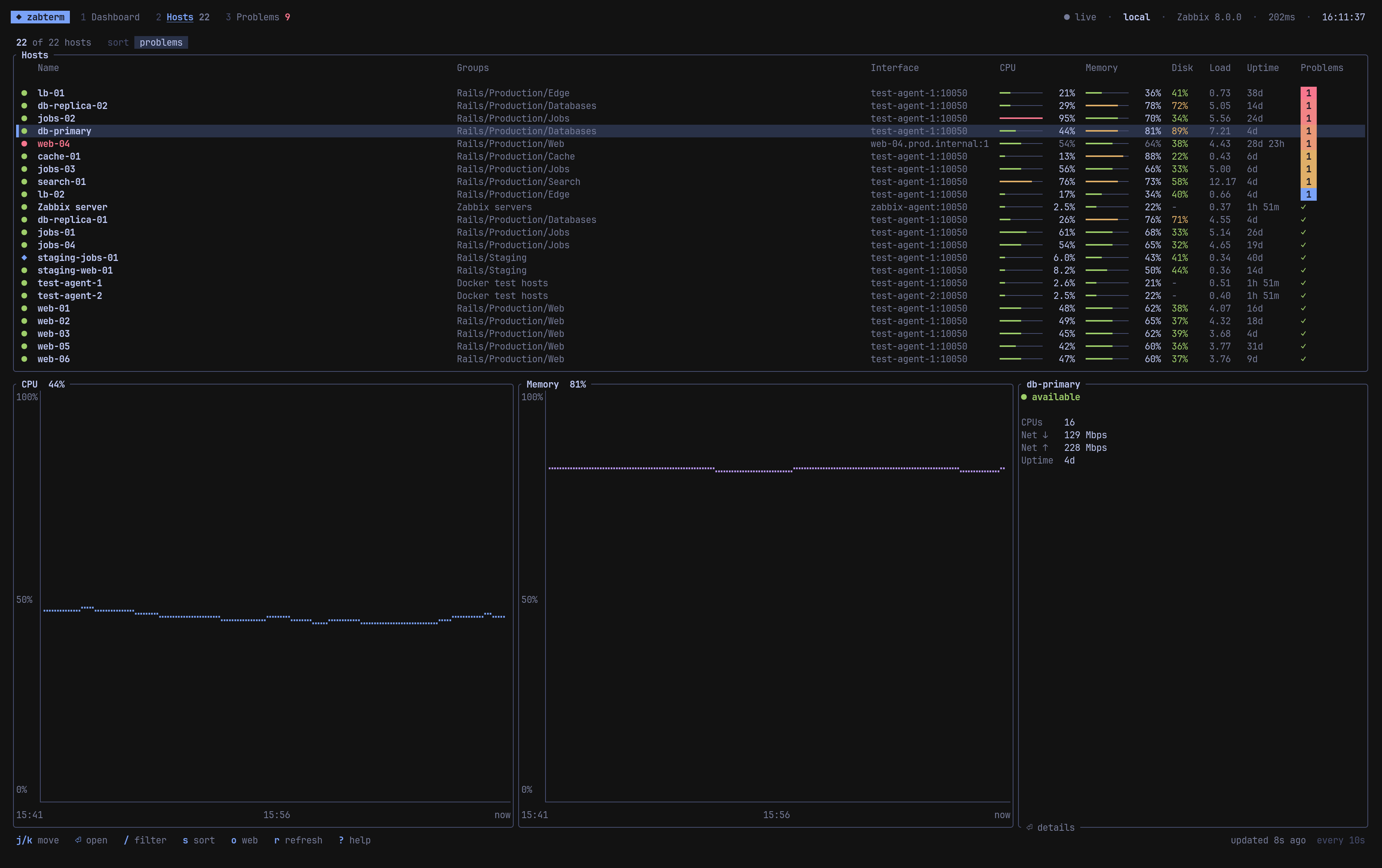
| Key | Action |
|---|---|
| s | Cycle sort: problems, CPU, memory, name |
| / | Filter by name, address or host group |
| ⏎ | Open host page |
| o | Open the host’s latest data in the frontend |
Status markers: ● available, ● unreachable (name in red, values muted because they are stale), ○ unknown, ◆ in maintenance, ✕ disabled.
The problems column shows one colored counter per severity, or a ✓ when the host is clean.
Host page
| Key | Action |
|---|---|
| [ ] | Time range: 15m, 1h, 6h, 24h, 7d |
| tab i | Graphs / Latest data |
| / | Filter items by name or key (Latest data) |
| esc h backspace | Back to the list you came from |
Graphs shows CPU, memory, network in and out for the busiest interface, and 1 minute load, read from history for the chosen range. The side panel lists filesystems and the host’s active problems.
Latest data lists every item on the host with its key, last value formatted with its units, and when it was last updated.
The page refreshes on every poll, like the rest of the app.
Problems
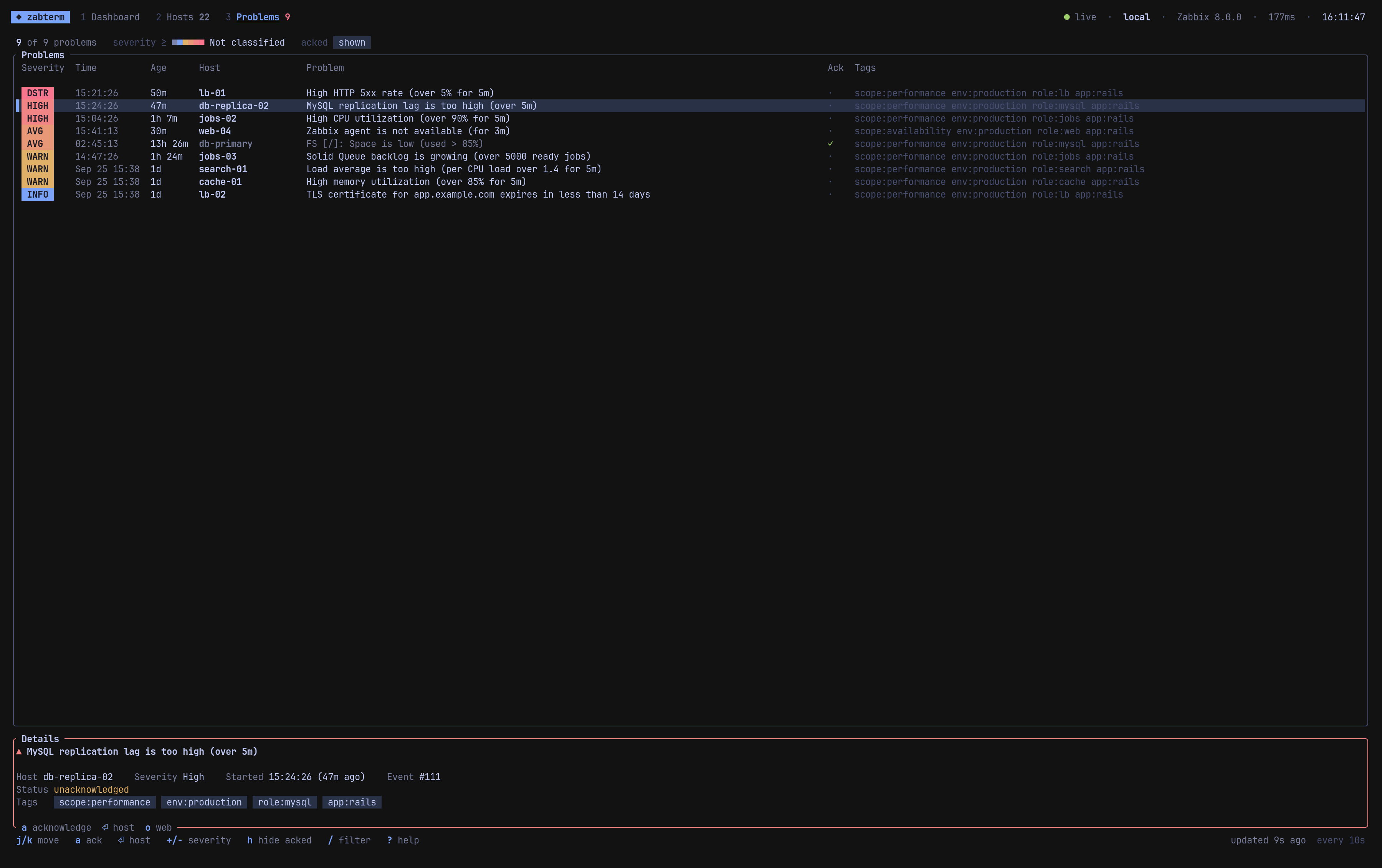
| Key | Action |
|---|---|
| a | Acknowledge the selected problem |
| + s / - | Raise / lower the minimum severity |
| h | Hide or show acknowledged problems |
| / | Filter by problem name, host or tag |
| ⏎ | Open the problem’s host |
| o | Open the host’s problems in the frontend |
Problems are sorted by severity, then newest first. Acknowledged and suppressed problems are dimmed.
Acknowledging
a opens a small dialog. Type an optional message and press ⏎. If the trigger allows manual close, tab toggles close problem too. esc cancels. The list refreshes right after.
Opening the frontend
o opens the matching page with xdg-open on Linux or open on macOS:
| Where you are | Opens |
|---|---|
| Dashboard | Dashboards |
| Hosts, host page | Latest data for that host |
| Problems | Problems filtered to that host |